How to - Add a New Cost Sheet

How to - Add a New Cost Sheet

Create a New Cost Sheet for Scope Items
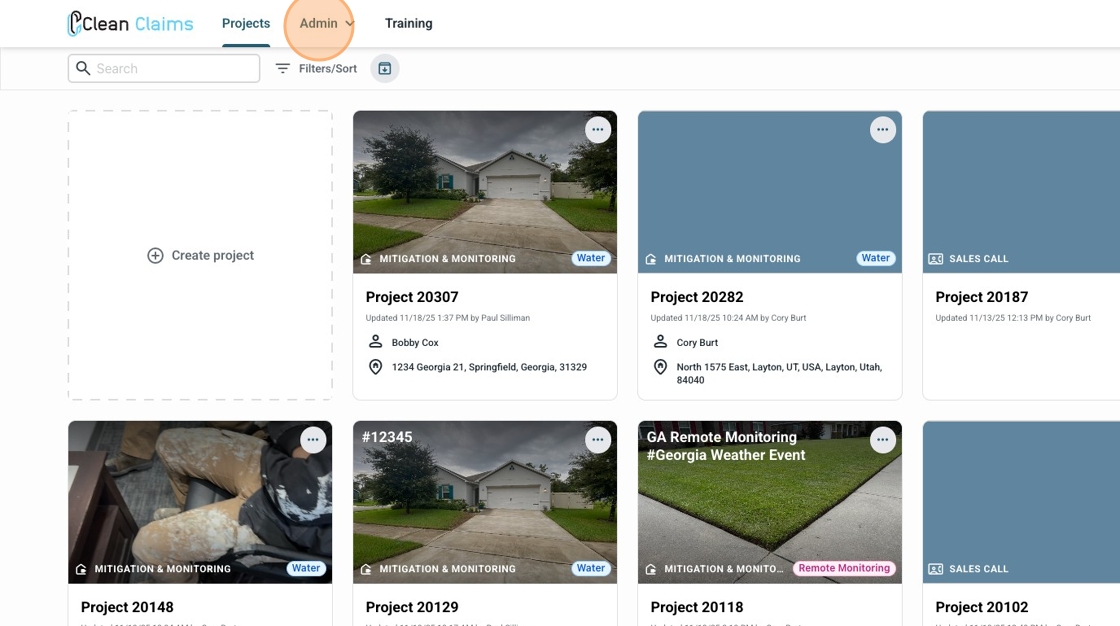
2. Click "Admin"


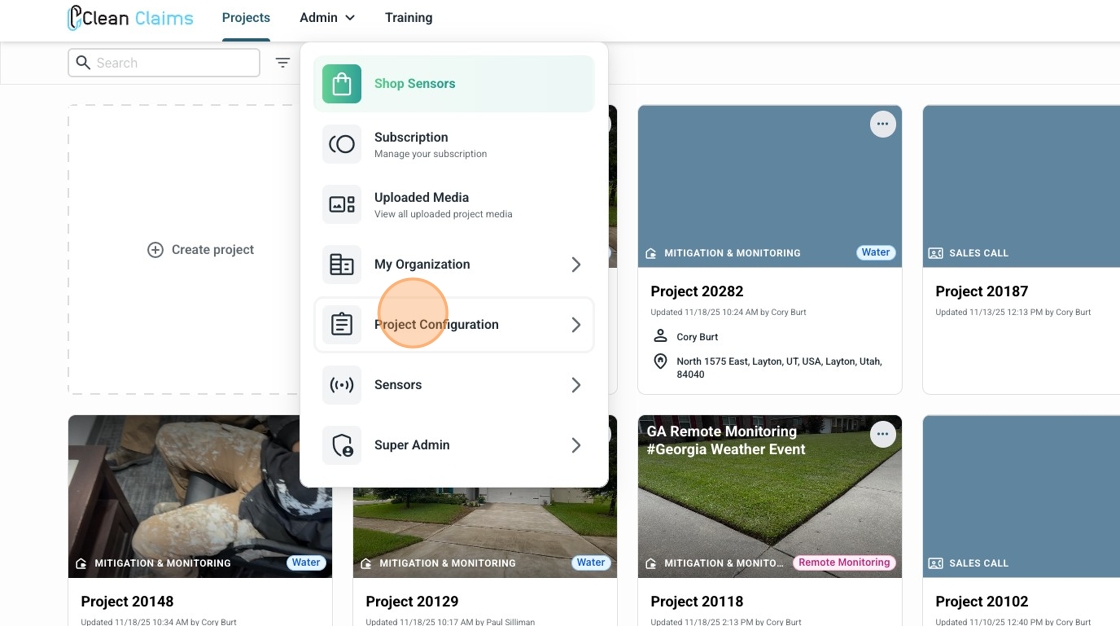
3. Click "Project Configurations"


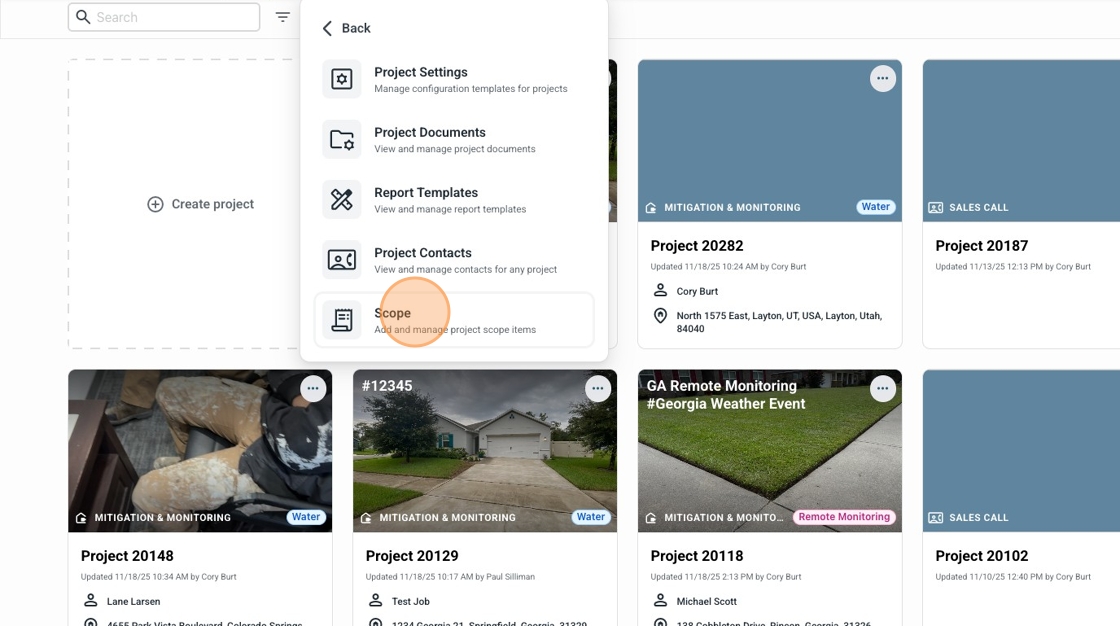
4. Click "Scope"


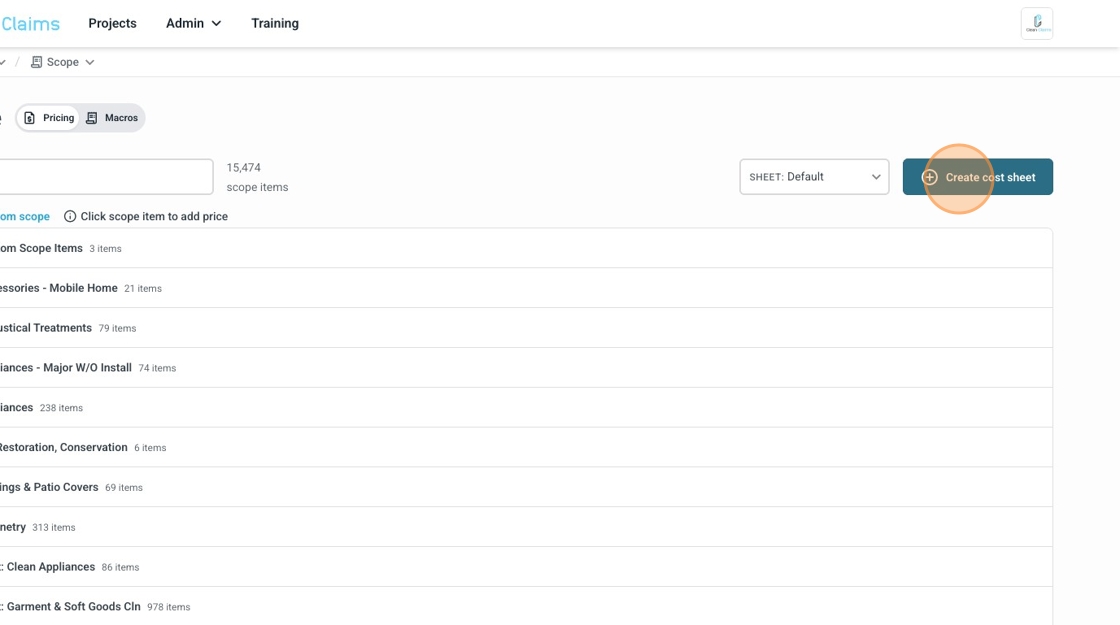
5. Click "Create cost sheet"


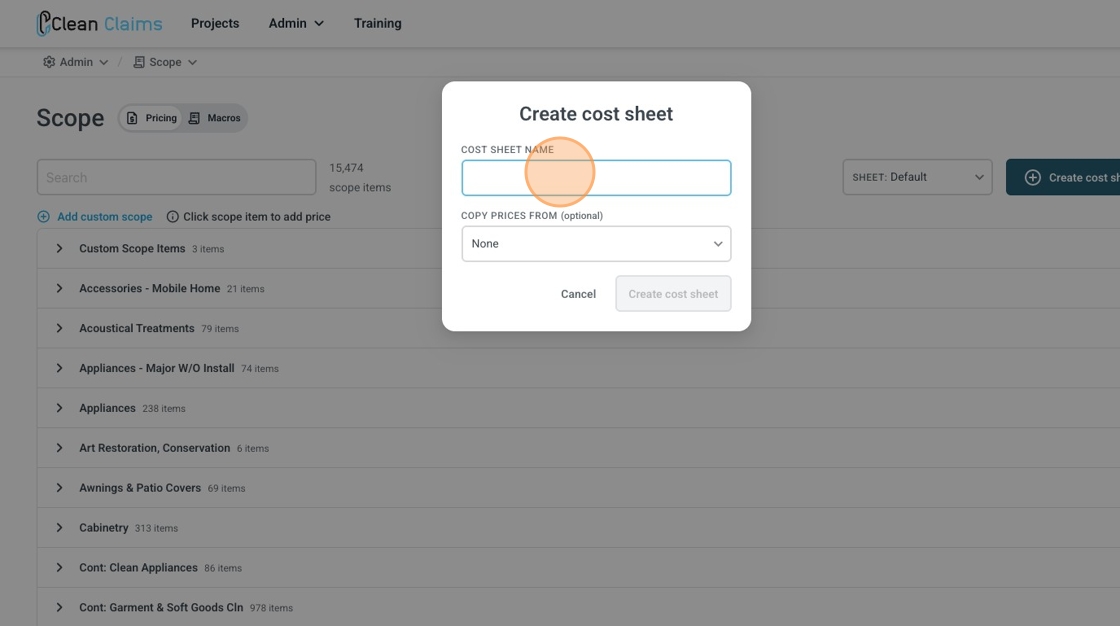
6. Name the Cost Sheet


7. You can copy existing prices from any other cost sheet, or select None.
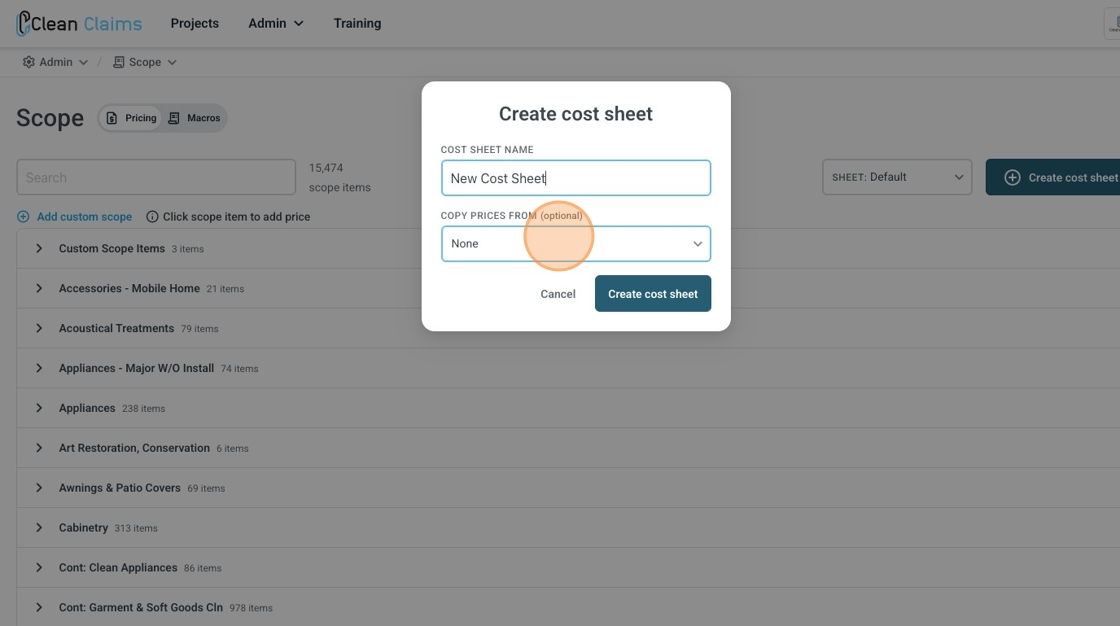

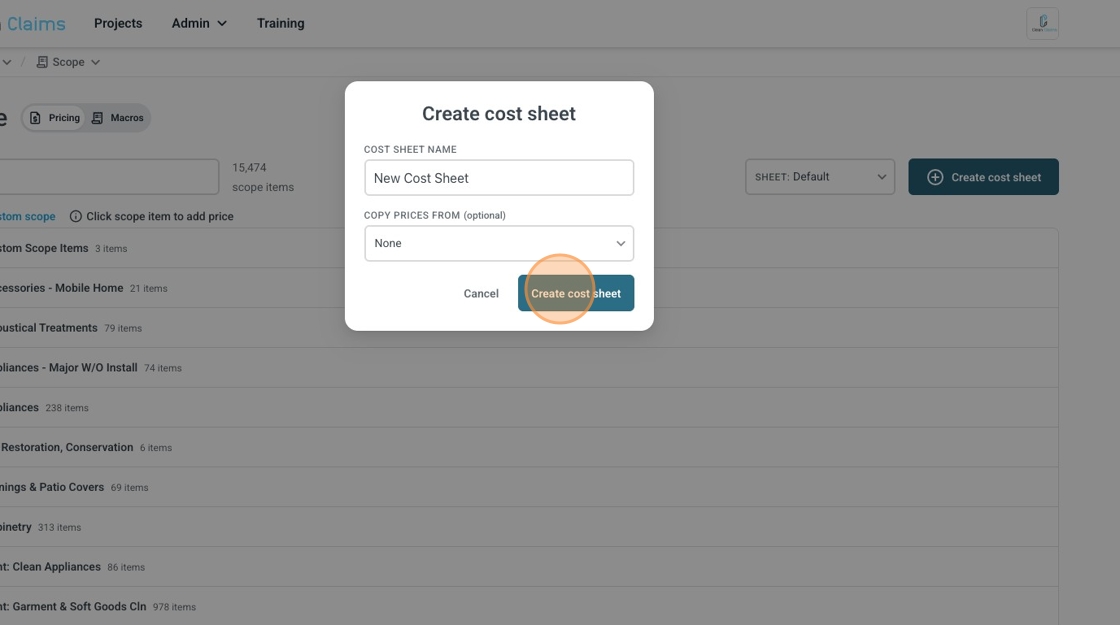
8. Click "Create cost sheet"

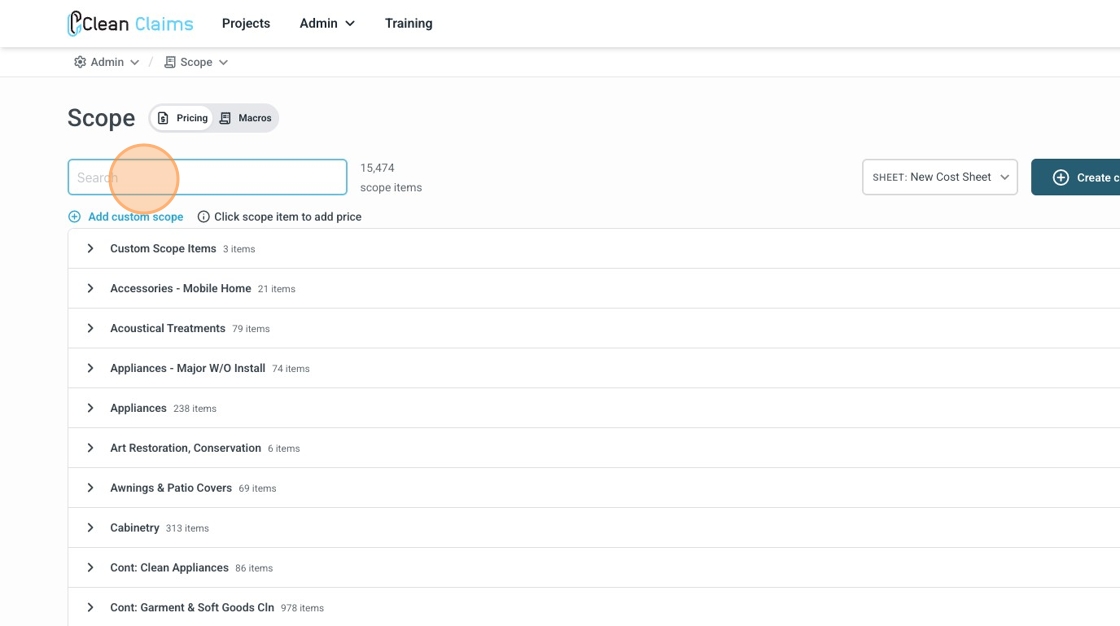
9. To find the different line items you can Click the "Search" field.

10. Or select by category
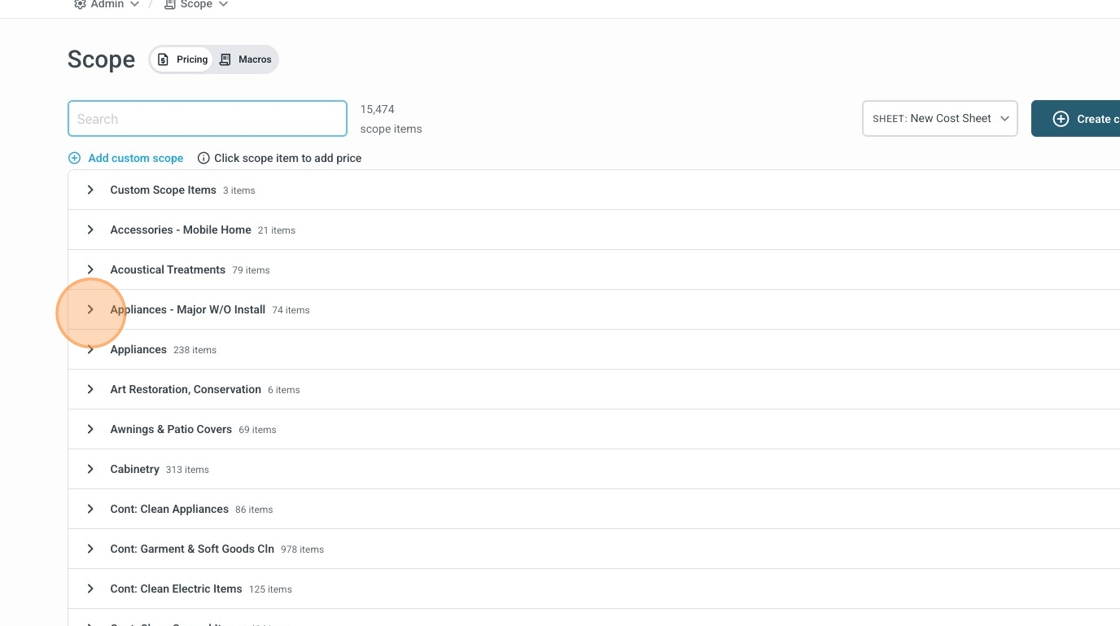

11. Ensure that you have selected the Active Cost Sheet you want to add prices to.
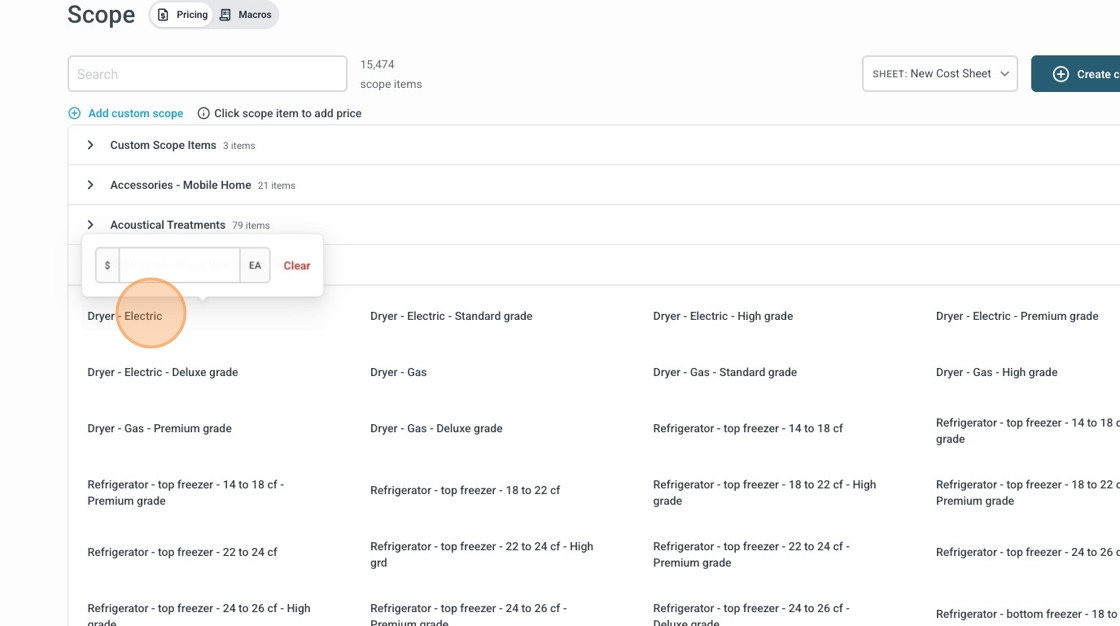

12. Pricing items will be saved automatically as they are entered in. You can have multiple price sheets to select and use on your projects in Clean Claims


    • Related Articles

    • New Clean Claims Photo Selector Overview 📸

      <br> Procedure for Selecting Photos in Reports 1. Access the Reports Section Log in to the Clean Claims platform. Navigate to the 'Reports' section. 2. Select Report Images Locate the top toggle labeled 'Select Report Images'. Click on ...
    • Add field on multiple pages

      A very common scenario is to have a user enter the data once, and make it appear on multiple pages of the same document. This can be useful in case of large documents where the same data can be repeated on multiple pages. For example, you would want ...
    • How to Migrate your Existing PDF documents to the new Document Signature Tool

      Please Note: You will only be able to migrate any document that was uploaded as a PDF from the previous signature process. If you were using the Text Markup, this will not be available to migrate over. You will need to create and upload a PDF to ...
    • How to - Add a new Macro and Edit an existing Macro with Scope Items

    • Add initials on all pages

      Some documents require just the initials on every page, which can be challenging in case of large documents. However, with Clean Claims Sign it’s possible to do this in just a couple of clicks. To add initials on all pages: Open the document template ...